From job site to CCQ payroll, paper-free.
Your electricians log their hours, materials and vehicles from their phone. You schedule, approve and invoice from the office — every job at its true cost.
steps from timesheet to payroll: entry, submission, review, confirmation, report.
CCQ electrician rates by sector and skill level, suggested when you invite an employee.
to download: Voltero installs on the home screen, no App Store.
to export a route sheet to Excel or PDF for your client.
Friday night shouldn't be
for retyping timesheets.
Paper sheets in the truck, texts, Excel files: every week, hours and materials get lost between the job site and the invoice.
Hours logged on the job site
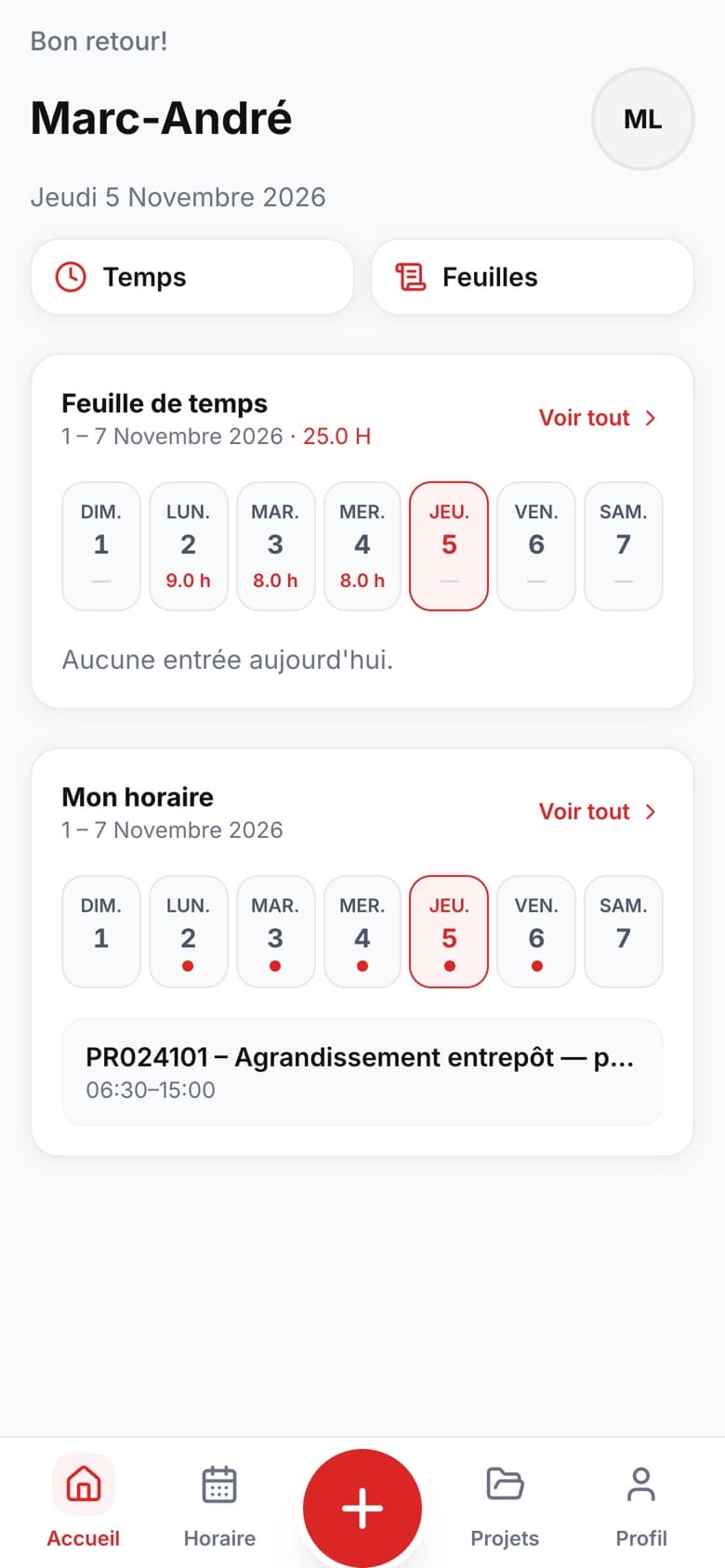
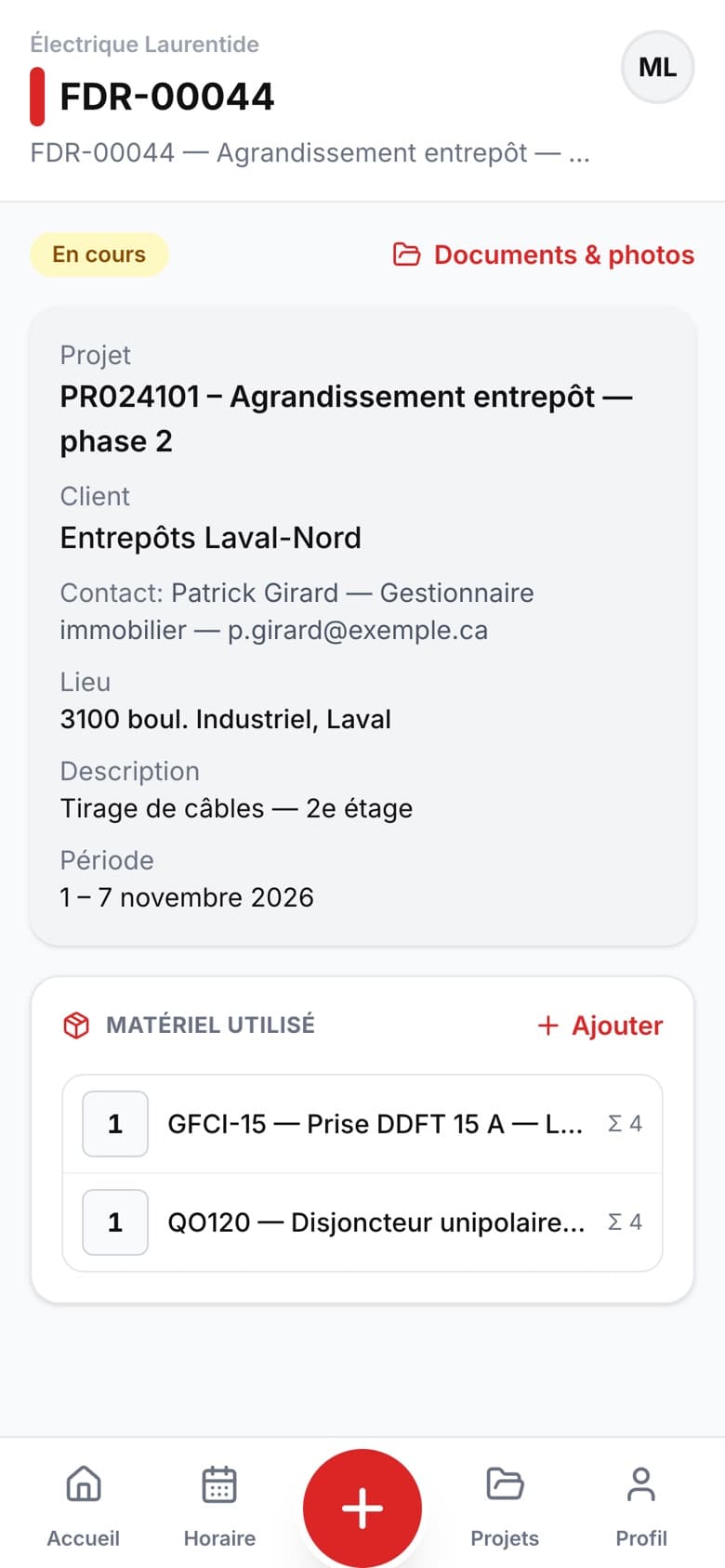
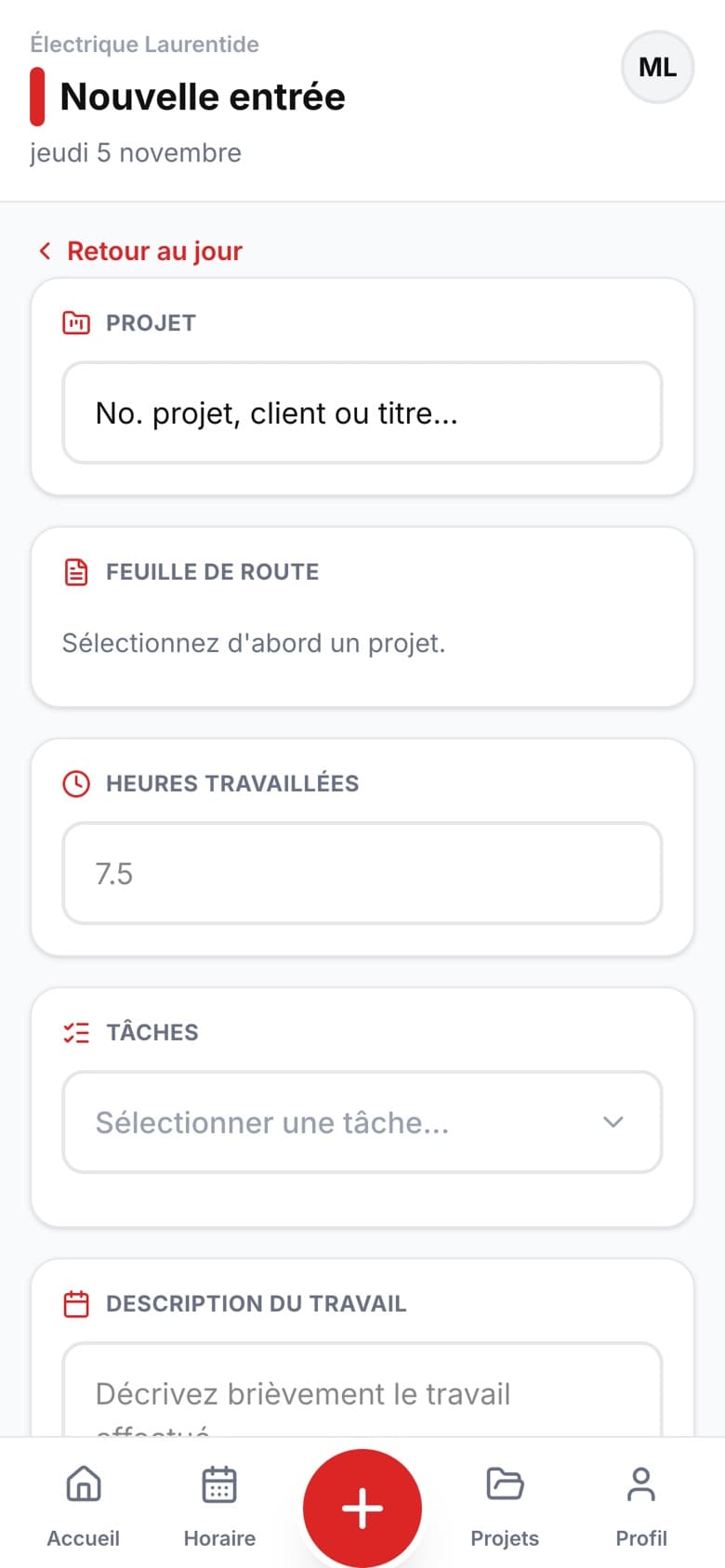
Each electrician logs their day in 30 seconds on their phone, tied to the right project and the right task.
Nothing slips past the route sheet
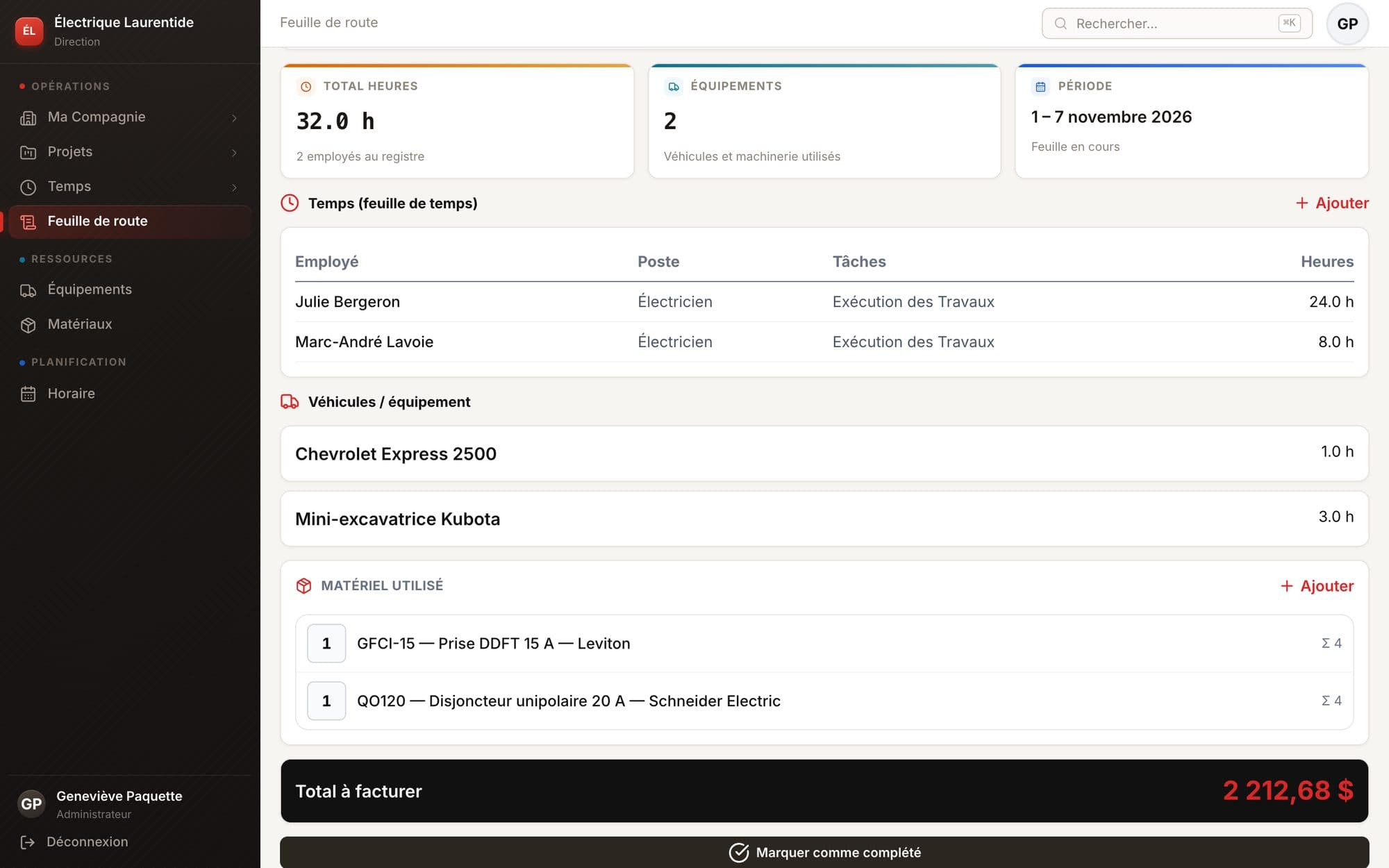
Hours, vehicles and materials add up on the week's route sheet. The amount to invoice is calculated for you.
Budgets visible at all times
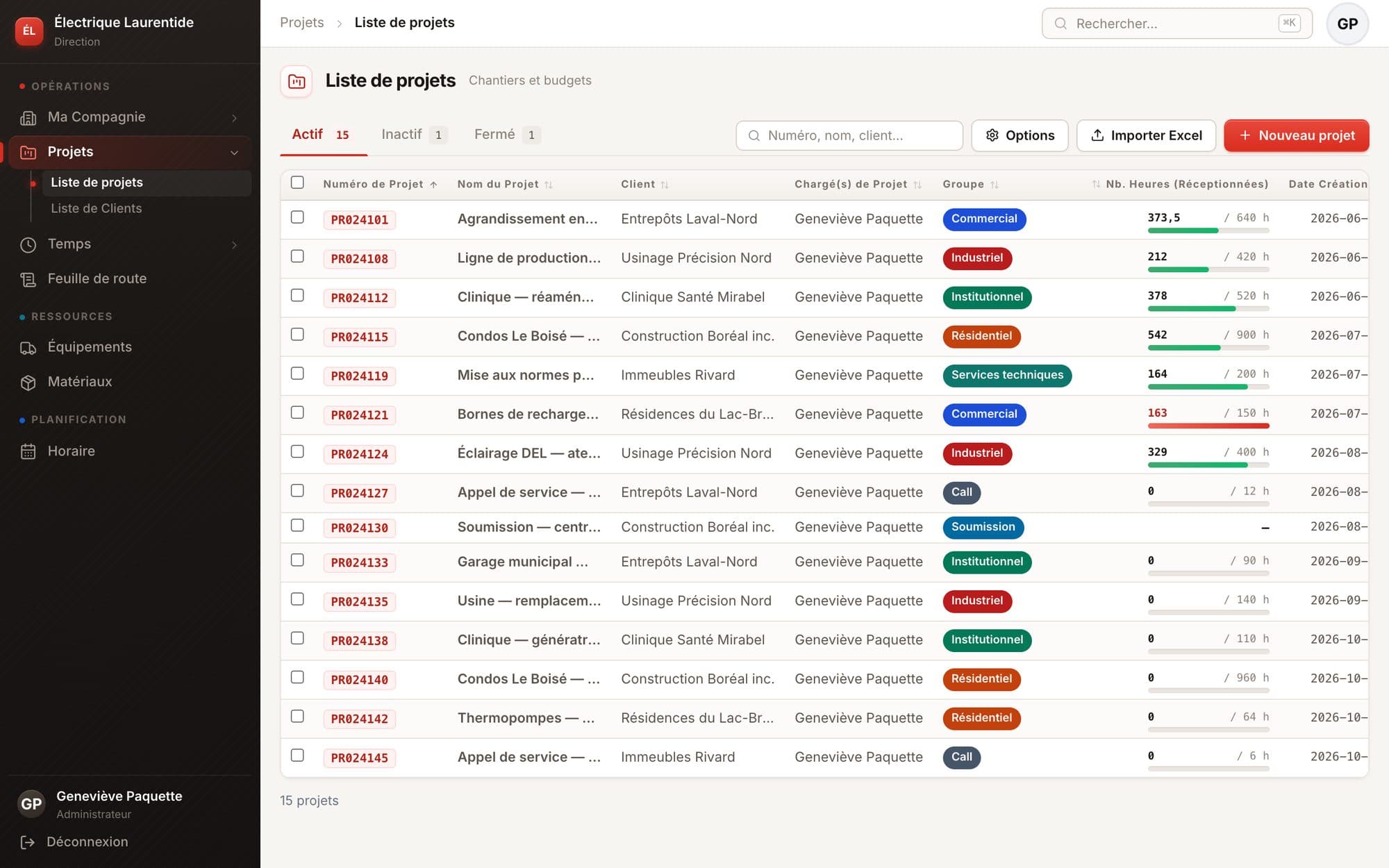
Hours received against budgeted hours, project by project. The bar turns red before it's too late.
The whole company,
on one screen.
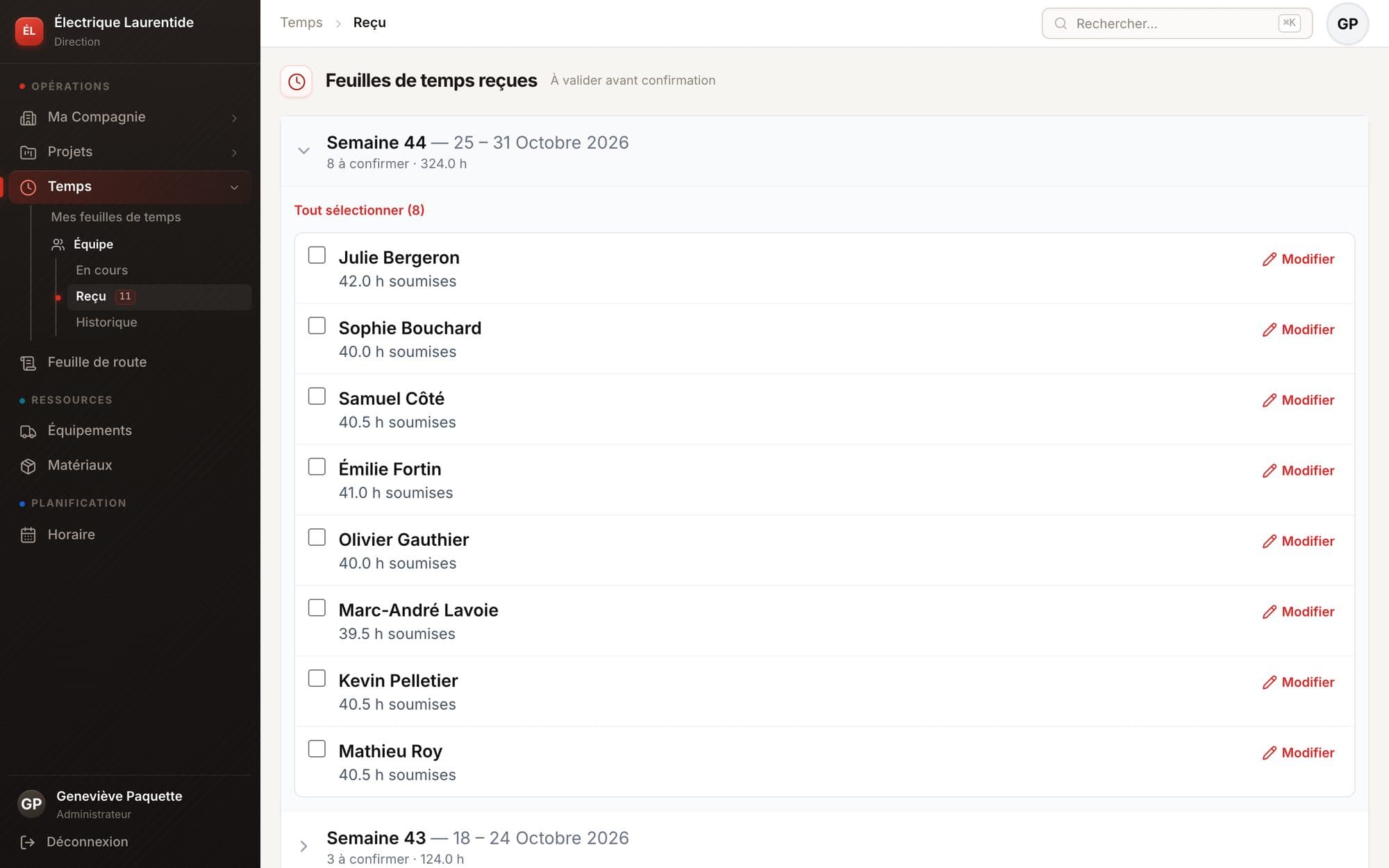
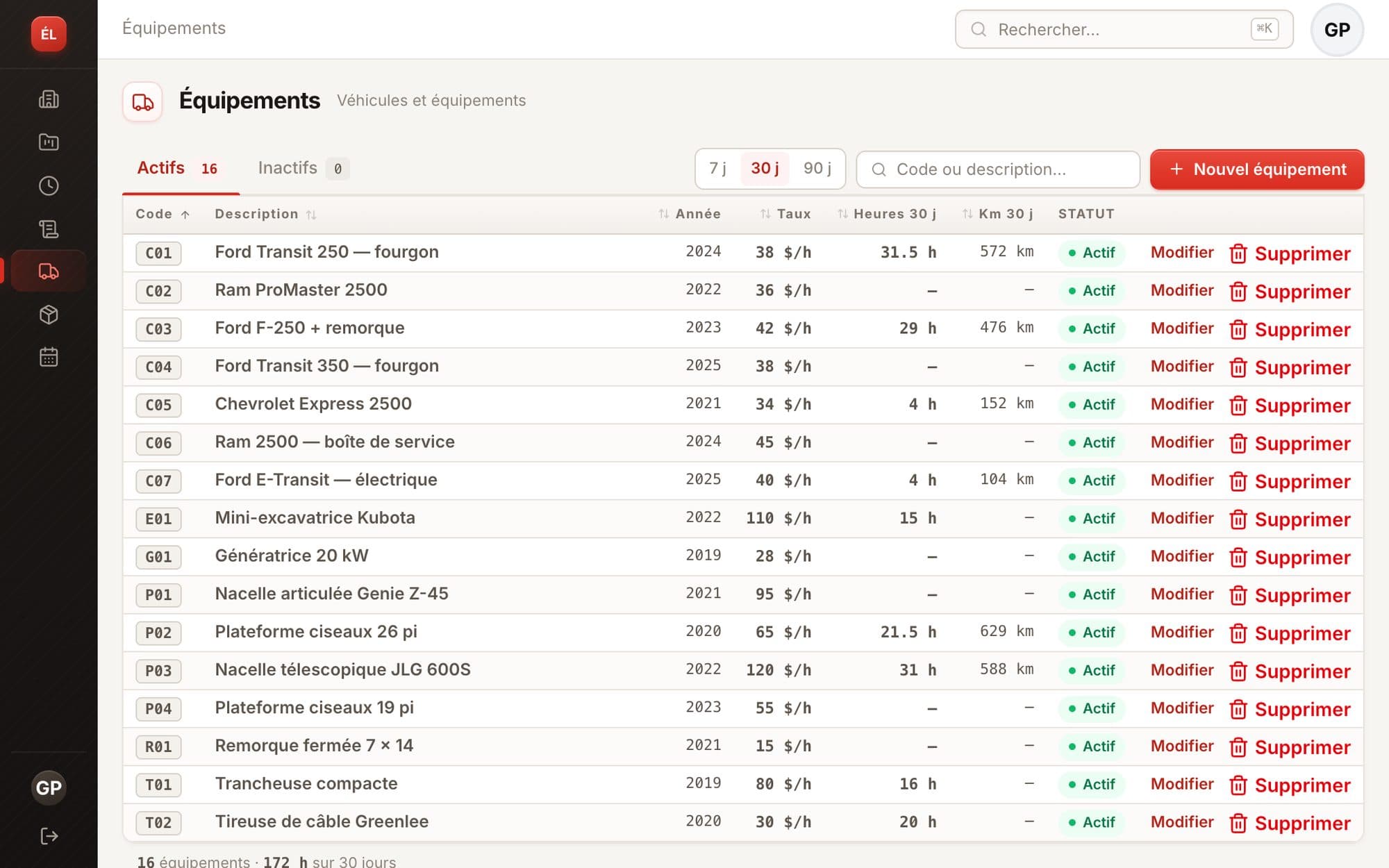
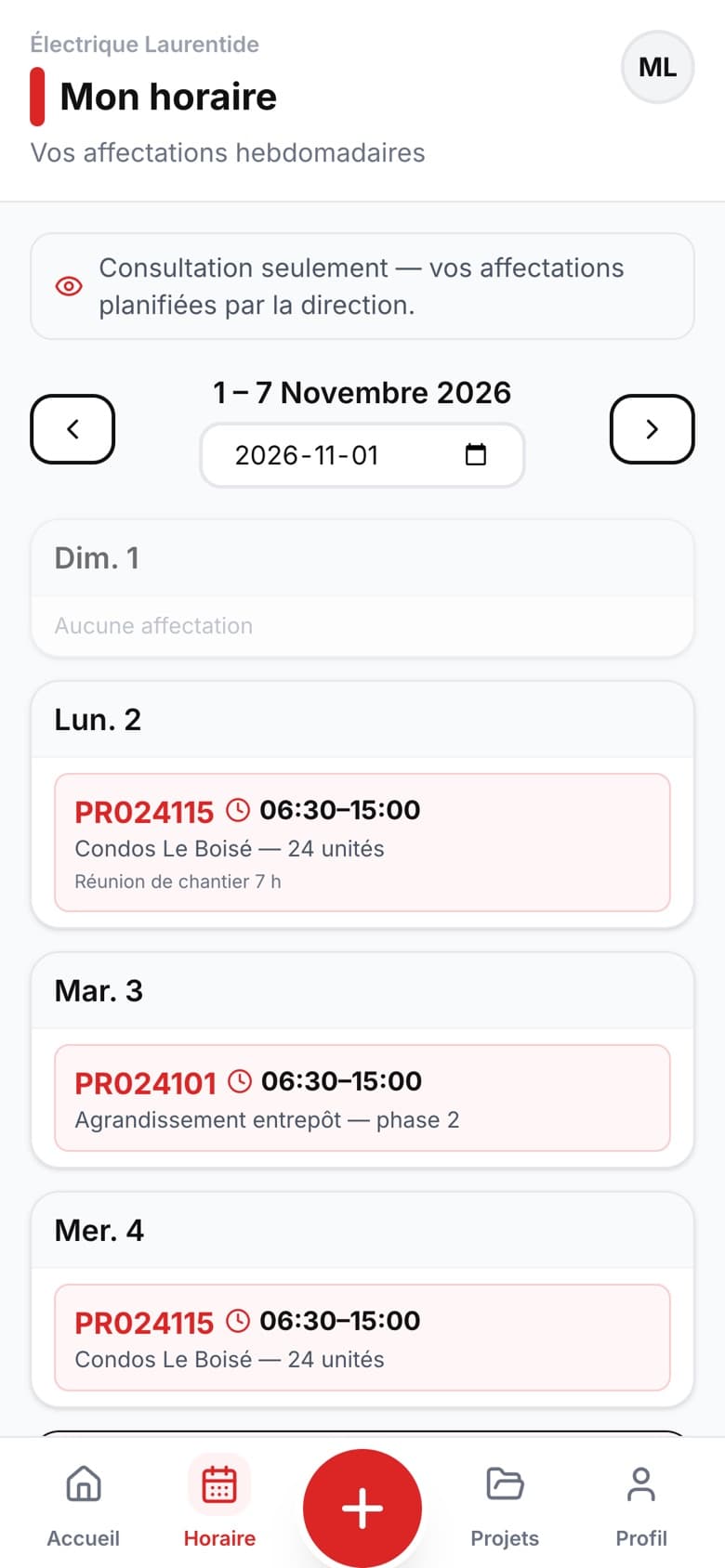
These are real Voltero screenshots (the app itself is in French). No weeks of setup: import your projects, invite your crew, and you're off.
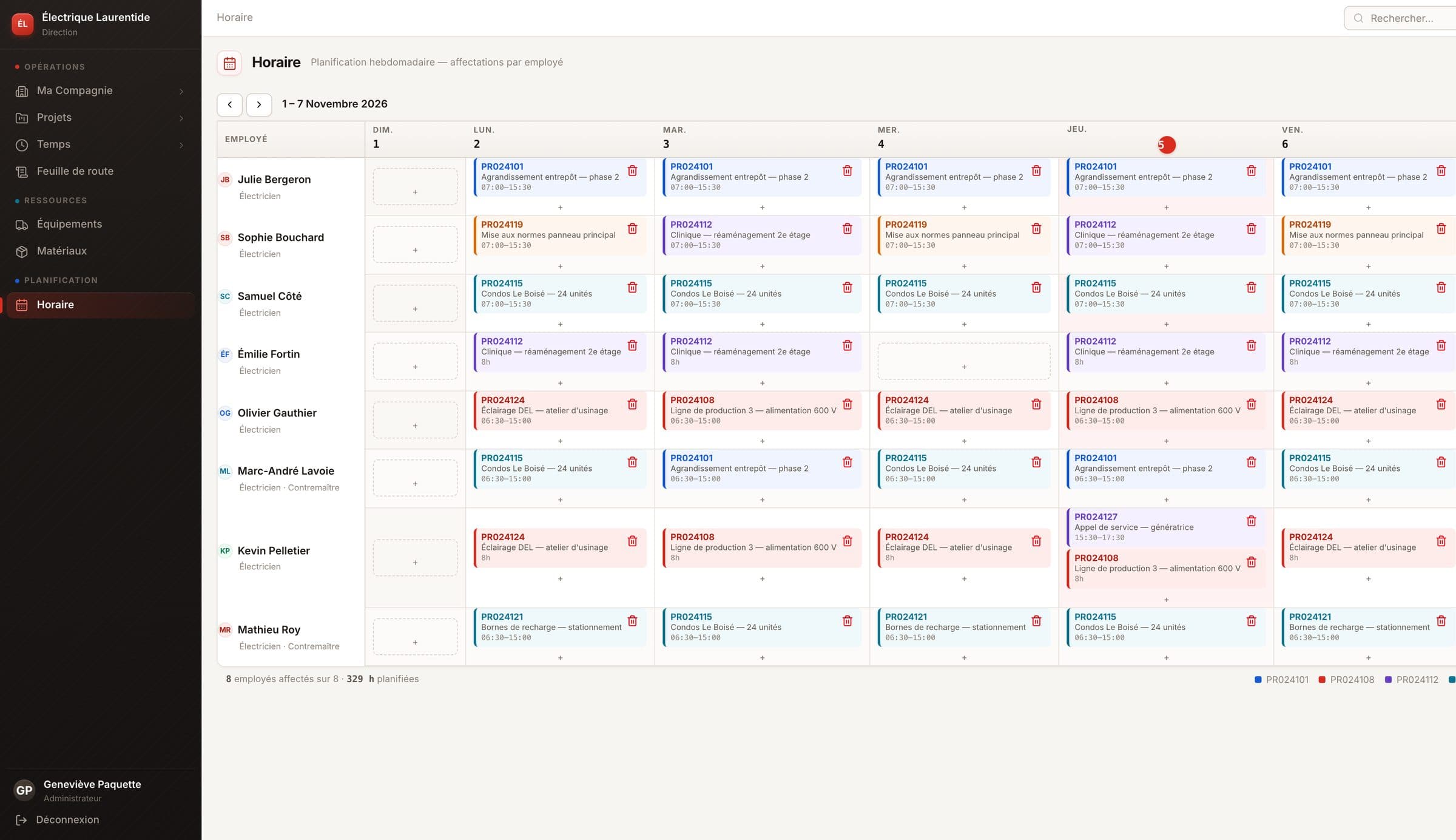
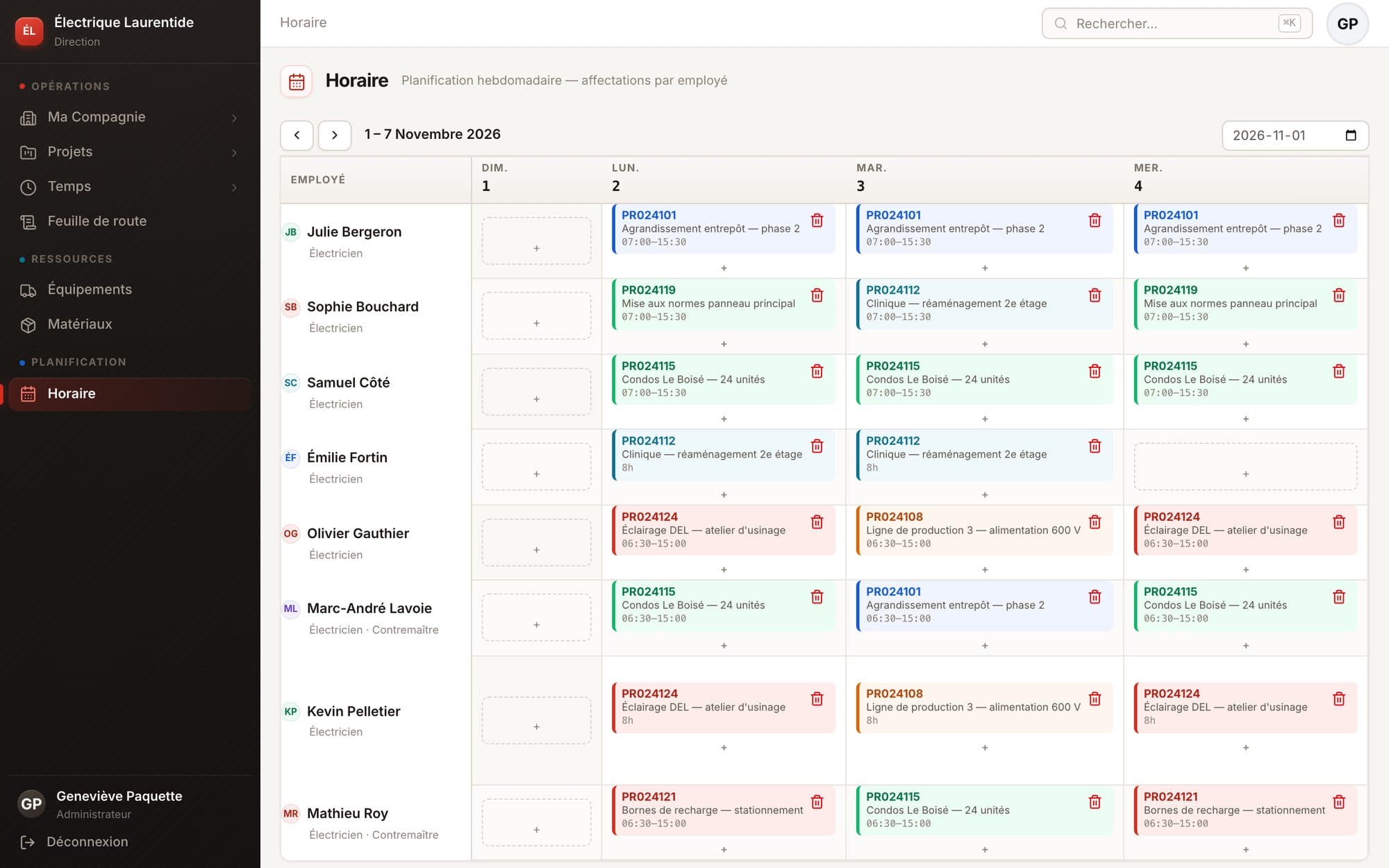
Assign each electrician to a project, day by day, with a time range or a duration. The crew sees their schedule on their phone.
Built for the job site,
not for the office.
Big buttons, the “+” always under your thumb, nothing to learn. Your electricians only see what they need — never your costs or margins.
- A day logged in 30 secondsProject, route sheet, hours, task. Vehicles and mileage when needed.
- Materials noted on siteSearch your catalogue or add a new part; prices are filled in at the office.
- A reminder if the week isn't submittedA notification on the day and at the time you choose — on iPhone and Android.
- No app to download“Add to Home Screen” and Voltero opens like a real app.
Know where every hour goes.
Every hour logged on site lands in the right place: in the project's budget and in that week's payroll.
Hour budgets, project by project
Hours received are compared to the contract budget. Green, orange, red: you know where to step in before a job costs too much.
Demo company data, exactly as shown in Voltero.
From timesheet to CCQ payroll
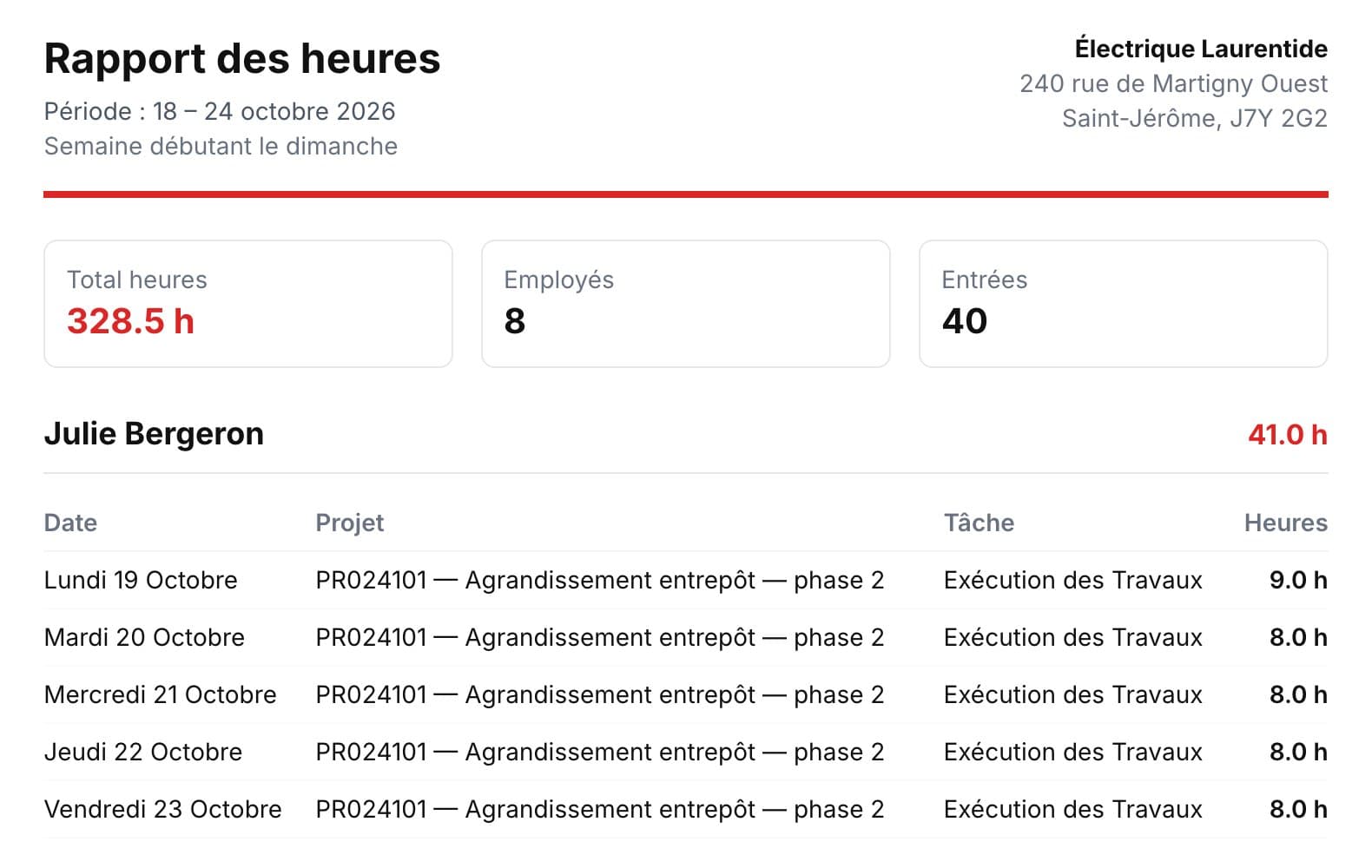
Every week follows the same path. Once confirmed, it's locked and the hours report is ready to send to payroll.
- 1In progressThe electrician logs their hours and submits the week.
- 2ReceivedYou review and fix anything that's off.
- 3HistoryThe confirmed week is locked.
- 4CCQ reportThe hours PDF goes to payroll.
Your margin,
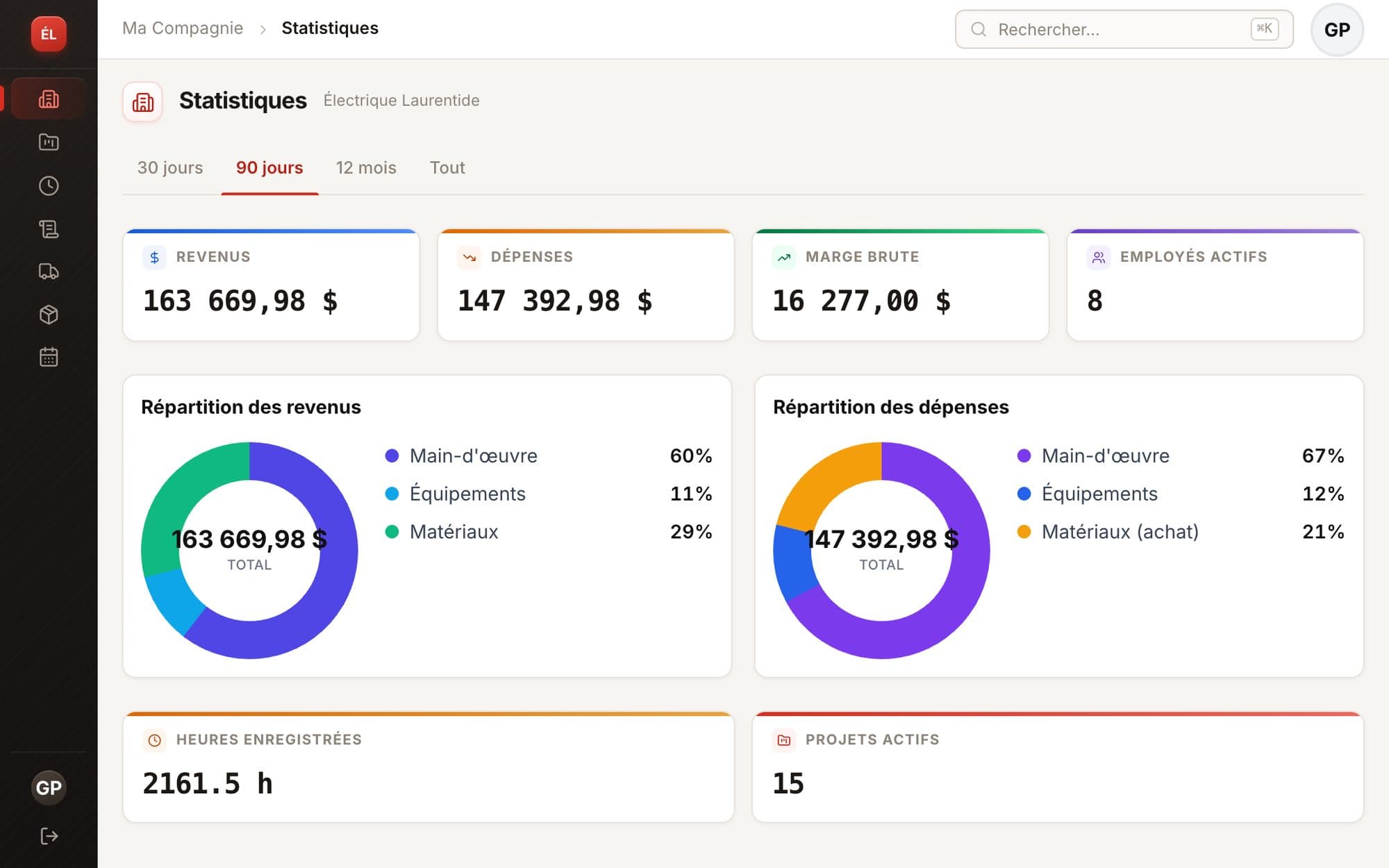
without waiting for the accountant.
Labour at each employee's rate, equipment at its hourly rate, materials at purchase and sale price: Voltero calculates the true cost of your jobs.
Up and running in a day.
No consultant, no three-day training. If you can send an email, you can get started with Voltero.
Import your projects
Drop in your Excel file: projects, clients and types are created in one go.
.xlsx · .xlsInvite your crew
One email per employee. Their CCQ rate is suggested from your sector and their skill level.
Apprentice 1 → JourneymanPlan the week
Fill in the schedule; everyone sees their assignments on their phone.
Schedule publishedConfirm and invoice
Weeks land in “Received”: you confirm, export, invoice.
Excel · PDF · CCQFrequently asked questions
Do my employees need to download an app?
No. They get an email invitation, choose their password and add Voltero to the home screen of their iPhone or Android. It also works on any computer.
Can my electricians see my prices and margins?
Never. Rates, purchase and sale prices, margins and invoice totals are for management only. Employees only see their hours, their schedule, their projects and the materials used.
How does Voltero handle CCQ rates?
The official electrician rates for your sector (civil engineering, industrial, institutional and commercial, residential) and for every skill level, from 1st-year apprentice to journeyman, are built in and updated every spring. The rate is suggested automatically when you invite an employee.
Can I import my existing projects?
Yes. Import your project list from Excel (.xlsx or .xls): missing clients and project types are created for you, and duplicates are skipped.
Is my data kept separate from other companies?
Yes. Each company is isolated in the database itself, not just in the app. Connections are encrypted and passwords are never stored in plain text.